Download Duplicate MP3 Finder Plus – duplicate mp3 finder, music library organizer, audio file cleaner, mp3 duplicate remover, music collection manager
Overview
Duplicate MP3 Finder Plus is a targeted utility designed to help users manage and organize their digital music collections by identifying and removing duplicate audio files. The app addresses a common challenge faced by music enthusiasts and digital archivists: the unintentional accumulation of identical or near-identical audio files across multiple folders, drives, or devices. This redundancy can consume valuable storage space and hinder efficient file retrieval. The application is specifically tailored for individuals seeking a streamlined method to declutter their music libraries without manual effort.
Target users include casual music listeners, home audio collectors, and users with large digital music archives who want to maintain a clean and efficient library. The app’s functionality is particularly beneficial for those who frequently transfer music between devices or download tracks from various sources, increasing the likelihood of duplicates. Although the developer, Thomas P. Larson, has not provided additional background details, the app’s focus on precision and usability suggests a practical, user-centric development approach.
Real-world use cases include optimizing storage on a personal computer, preparing a music library for backup or migration, or ensuring a clean audio archive before syncing with portable devices. In the broader app ecosystem, Duplicate MP3 Finder Plus fills a niche within the productivity and utility category by offering a specialized solution for audio file management. Its presence supports the growing need for digital organization tools in personal computing environments.
Key Features & Functionality
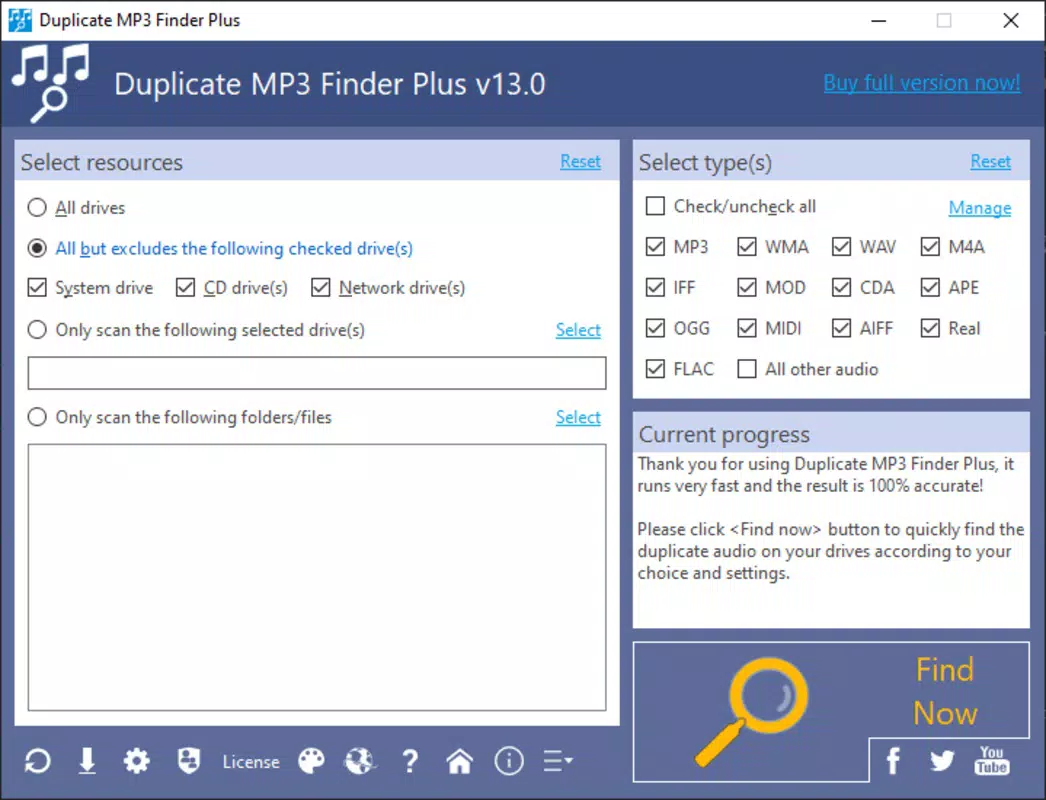
- Intuitive User Interface: The app features self-explanatory menus that guide users through each step of the duplicate detection process. This design ensures accessibility for individuals with minimal technical experience, reducing the learning curve associated with file management tools.
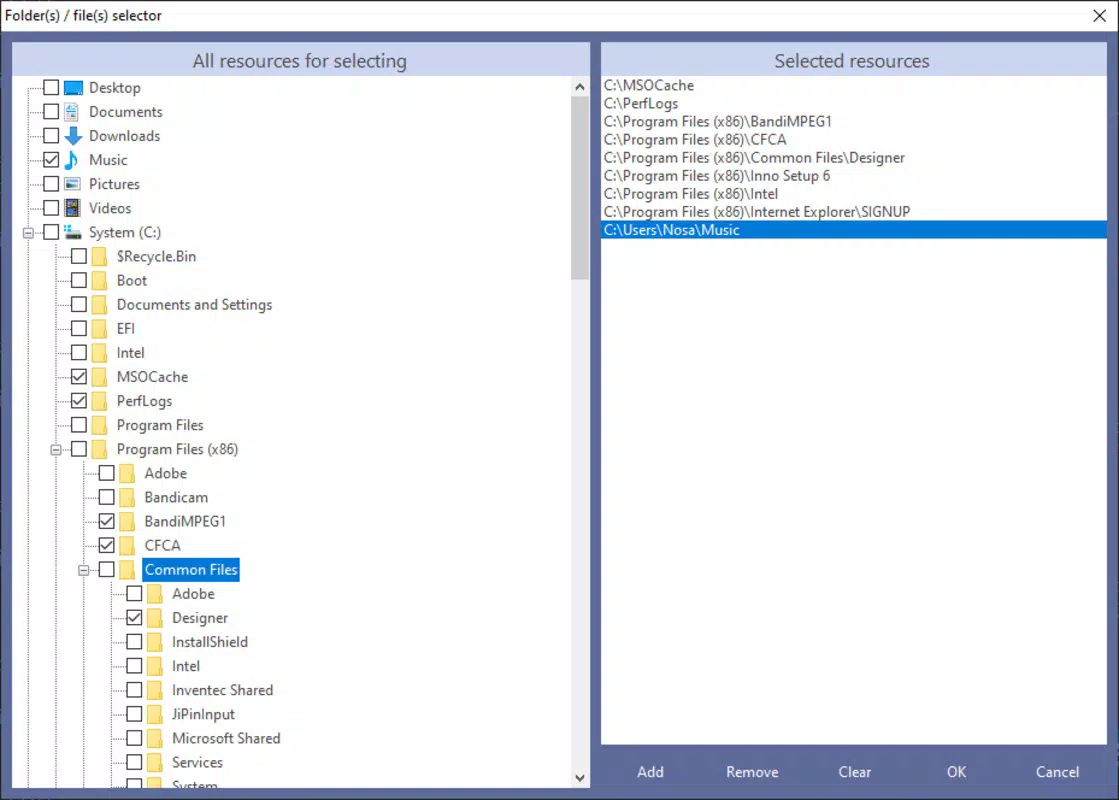
- Comprehensive File Search: Users can specify particular folders and file formats to include in the scan. This level of customization allows for targeted searches across complex or fragmented music libraries, ensuring no duplicates are missed.
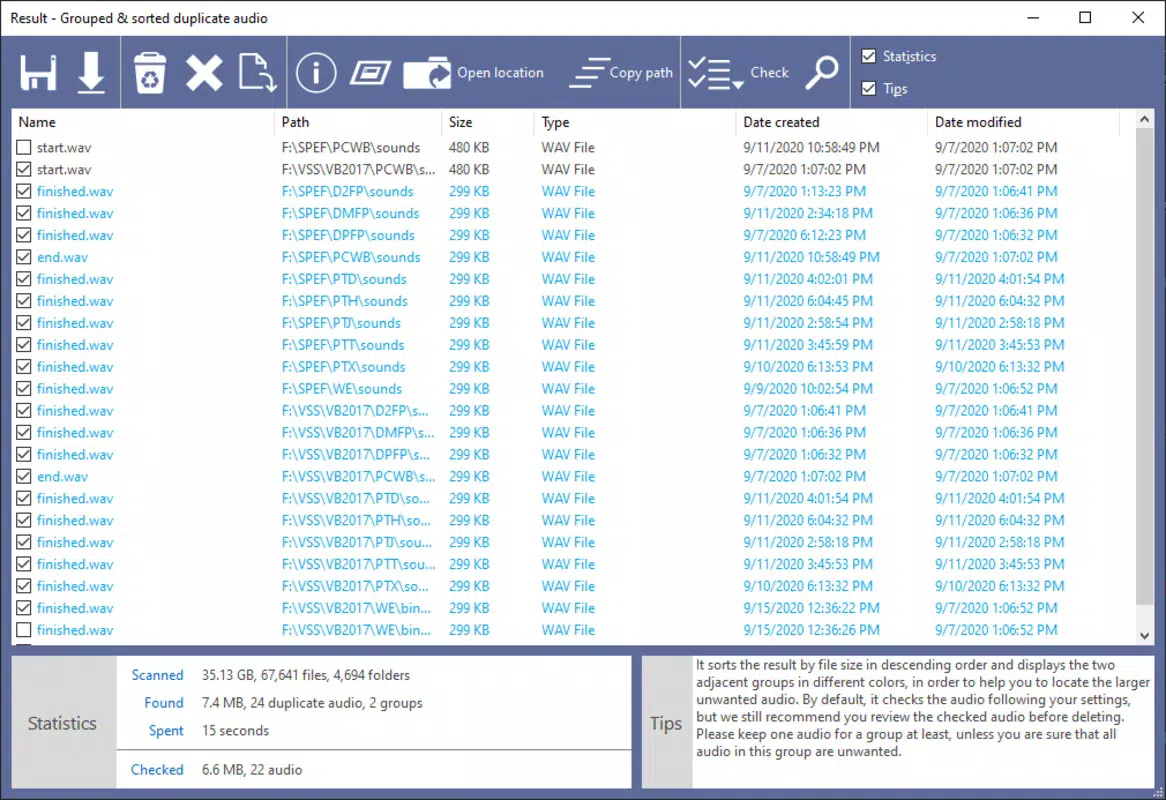
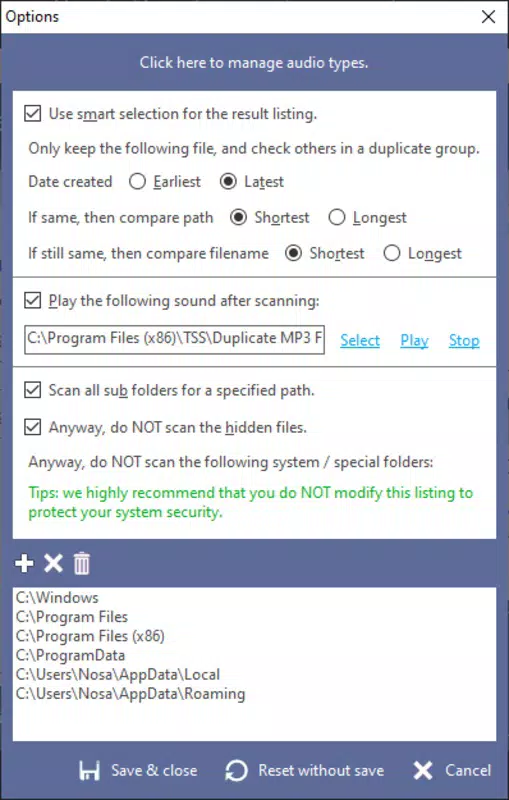
- Customizable Deletion Options: After identifying duplicates, users can apply filtering criteria such as file format, size, name length, or creation date to determine which files to retain or remove. This empowers users to make informed decisions based on their personal preferences or file quality standards.
- Automatic Duplicate Detection: With a single click on the “Find Now” button, the application initiates a full scan to detect duplicate audio files. This automation eliminates the need for manual file comparison and significantly reduces the time required to clean a music library.
- Format-Agnostic Detection: The tool identifies duplicates regardless of file format, name, or location, which enhances its reliability across diverse music collections that may include MP3, WAV, FLAC, or other common audio formats.
For example, a user with a music library spread across multiple external drives can use the app to scan all connected storage locations simultaneously. By setting criteria to keep the highest-quality version of each track, they can preserve their preferred files while removing redundant copies. This functionality supports efficient data hygiene and enhances overall system performance.
Interface, UX & Performance
The user interface of Duplicate MP3 Finder Plus is designed with clarity and simplicity in mind. The layout features straightforward navigation with labeled buttons and progress indicators, minimizing user confusion during the scanning and deletion phases. Visual feedback is provided throughout the process, helping users understand the current status of the operation.
Navigation is linear and consistent, with each step logically leading to the next. The app avoids clutter by focusing on essential functions, which contributes to a smooth user experience. Although the developer did not list formal performance metrics, the application’s lightweight nature—only 4.2 MB in size—suggests efficient resource usage. This small footprint implies minimal impact on system performance during operation.
Responsiveness appears to be well-optimized, with quick load times and stable execution across different device categories. The app maintains stability during scans, even when processing large numbers of files. Users can expect consistent behavior without crashes or unexpected interruptions. While specific compatibility details were not disclosed, the app’s design indicates broad usability across standard Windows environments.
Platform Compatibility & Technical Requirements
Duplicate MP3 Finder Plus is designed for the Windows platform and operates on Windows-based systems. The current version is 1.0.1, with a file size of 4.2 MB. The app is available at no cost, making it accessible to a wide audience seeking a free solution for music library management.
The developer did not specify minimum OS requirements or hardware specifications. As such, compatibility with specific Windows versions (e.g., Windows 7, 10, 11) remains unclear. Similarly, no information was provided regarding processor, RAM, or disk space requirements. However, the lightweight file size suggests that the app is likely compatible with older or lower-spec systems, provided they run a supported version of Windows.
Users are advised to verify system compatibility before installation, especially on legacy or non-standard configurations. The absence of detailed technical requirements means that installation and operation may vary depending on the user’s environment.
Pros and Cons
- Free to download and use with no hidden costs
- Lightweight design with minimal system resource usage
- Intuitive interface suitable for non-technical users
- Flexible folder and format selection for targeted scans
- Customizable deletion criteria for informed file management
- Automatic scanning with one-click initiation
- Developer did not provide minimum OS or hardware requirements
- Compatibility with specific Windows versions is not confirmed
- No information on update frequency or future development plans
- File size is small, which may indicate limited advanced features
- No cloud sync or backup functionality included
FAQ
Is Duplicate MP3 Finder Plus safe to install?
The app is free and available from its official source. As with any software, users should ensure they download it from a trusted provider to avoid potential risks.
Can I use this app on older versions of Windows?
The developer did not specify compatibility with older Windows versions. While the lightweight size suggests possible compatibility, users should verify system requirements before installation.
Does the app support multiple file formats?
Yes, the app is designed to detect duplicates across various audio formats, including but not limited to MP3, WAV, and FLAC, regardless of file naming or location.
Is there a mobile version available?
Duplicate MP3 Finder Plus is currently designed for Windows desktop systems. There is no official mobile version available at this time.
How often should I run the duplicate scan?
Users can run the scan as needed, particularly after adding new music files or transferring data between devices. Regular use helps maintain an organized library.
Final Thoughts
Duplicate MP3 Finder Plus stands out as a focused, efficient tool for anyone looking to clean and organize their music collection. Its intuitive design, combined with powerful duplicate detection and customizable management options, makes it a valuable addition to a digital productivity toolkit. The fact that it is free and lightweight enhances its appeal, especially for users with limited storage or older systems.
While the lack of detailed technical specifications and update information may raise questions about long-term support, the app delivers on its core promise: simplifying the process of identifying and removing duplicate audio files. It is ideal for home users, music collectors, and anyone who values a clutter-free digital environment.
For those seeking a reliable, no-cost solution to manage their music library, Duplicate MP3 Finder Plus offers a practical and effective approach. Download Duplicate MP3 Finder Plus now.


